


Hot App Reviews - Best Free Apps Download & Guides

Install Instagram at No-Cost

WhatsApp Setup

Download and Install YouTube

Download Videos from Twitter
 4.6
4.6
How to Save Videos You WantBuilt-in FeaturesThere’s currently no native way to download videos within Twitter’s website or app, however: You can bookmark tweets containing videos in it to watch online later.Third-Party Tools1. Websites such as SaveTweetVid or TwDown:- Copy the tweet link containing the video.- Paste it into the website’s input field.- Choose video quality and download.2. Use extensions such as Video DownloadHelper to get direct downloads from many sites, Twitter included.

Create Your Personal Account
4.7
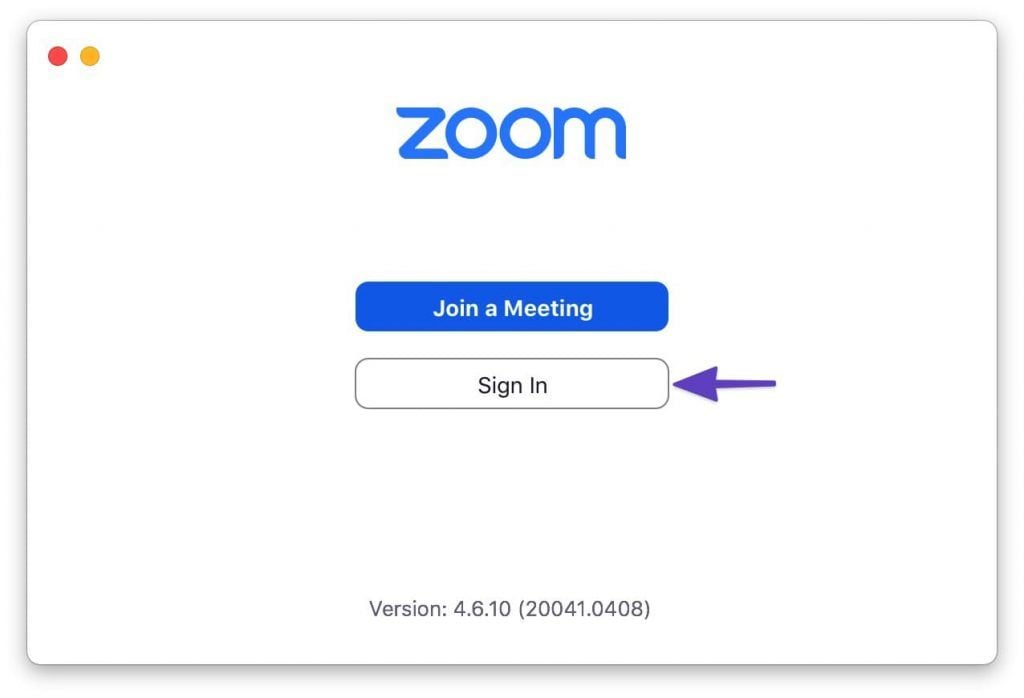
How to Create a Zoom Account1. Visit Zoom Website or App:- Open your browser and go to Zoom’s official signup page https://zoom.us/signup- If mobile, launch Zoom and press Sign In.2. Enter Your Information:- Enter your date of birth (at least 16 years old) and your email address.- There is an email confirmation, you click on the link in that email to activate and verify your account.- Then fill in first name, last name, and create a password after you confirm your email. Then click “Continue” to finish the process.- Alternatively, you can do the above verification using your Google account or Facebook account to register and login.3. Final Works- Sometimes you’re prompted to invite colleagues, or to start a test meeting, but you can skip these steps as well.- Tap the Zoom icon and tap the orange button: “Start Meeting Now”.

Report Lost or Stolen Cards
4.9
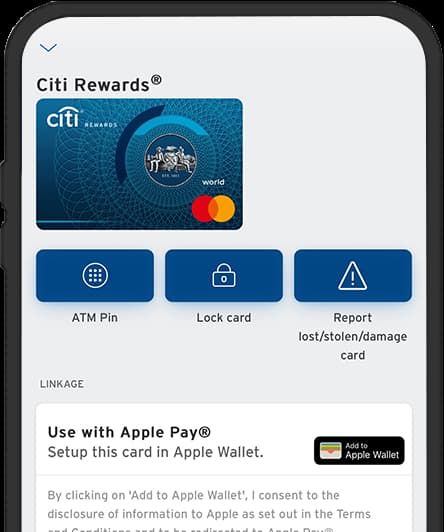
1. Log into Your Citi Mobile: Open the application on your device and securely insert your log-in credentials.2. Access Service Requests: Scroll down the menu in search of card services or security settings.3. Choose ‘Report Lost/Stolen Card’: Choose this option as it will lead you to the simple and quick way through which you can report the lost card.4. Follow On-Screen Instructions: After that, the application will input you with several questions that are somehow relevant to your case; answer them truthfully.5. Replacement Options: Select whether you need a new card immediately, or you temporarily lock your card for now as you will further investigate the whereabouts of the card.6. Finish Reporting Process: Confirm and add other information that may be requested by the application. This may also include personal detail verification for verification purposes.7. Monitor Your Account Activity: After reporting lost cards, monitor account activity through Citi Mobile for unauthorized transactions.

How Does Ghost Detector Actually Work
4.2
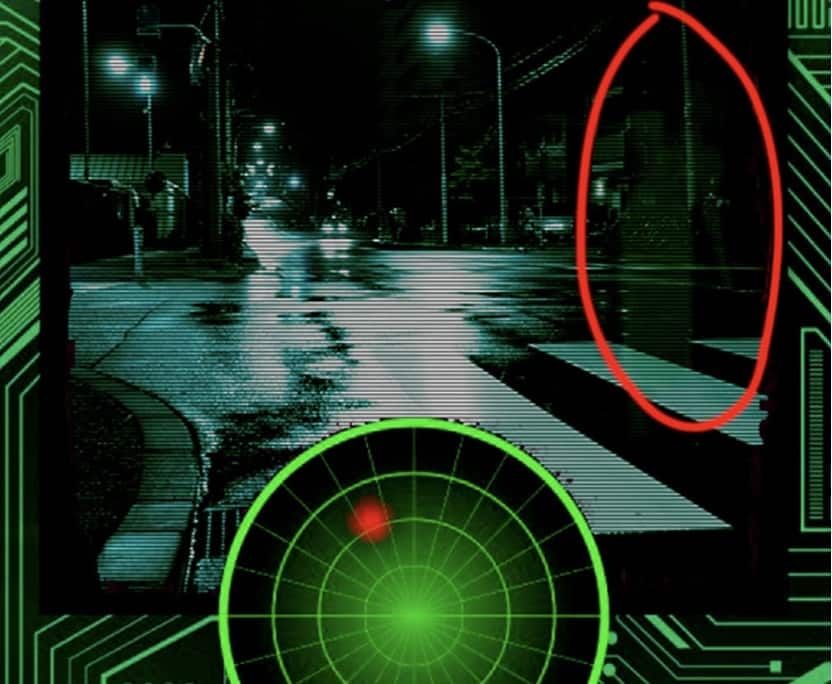
Technically, Ghost Detector Real Life Radar employs device sensors such as camera, infrared sensor, microphone, light, and even magnetometer to scan for anomalies within the environment. The radar mode translates fluctuations within these sensors into on-screen movement or sound waves. Unusual readings or static changes may appear as moving red dots, which can be viewed in the radar mode of the app. The camera is set to detect sudden movement or shadows, and the EVP recorder is idle awaiting unexplainable noises—tuning in and filtering out faint noises to “pick up” “ghost voices.” It even has night vision capability to enable users to “see” spirits in dark places.Nevertheless, it must be said that the app is programmed to be entertainment. Different disclaimers indicate that the findings are not scientifically verifiable. Physical or electromagnetic movement in the device environment—Wi-Fi signals, radios, metallic devices, or light changes—can be detected as “paranormal” activity. Hence, as good as the app might be at simulating ghost hunting, there is no method it can have to differentiate between actual paranormal activity and simple environmental movement. Most professional critics and developers point out that there is no scientific foundation for smartphone apps to actually detect ghosts. So users ought to read in an open and enjoyable manner, recalling that any evidence must be regarded as speculative.

Stay Updated for Spookier Adventures
4.2
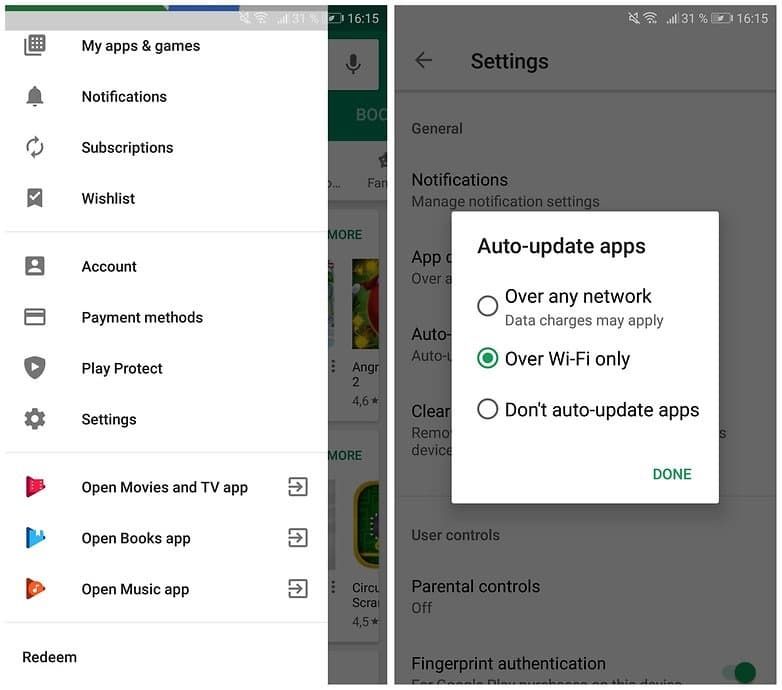
It’s easy to update Ghost Detector Real Life Radar. On an Android device, go to the Google Play Store, touch your profile picture, and go to “Manage apps & device.” It is from this area that you will check whether Ghost Detector Real Life Radar is listed under available updates. Touch “Update” to install the new version. Sadly, Ghost Detector Real Life Radar does not appear in the iOS App Store, so the update process in this article is intended for Android subscribers only.You can also enable automatic updates on Android. This keeps the app up to date without the need to do it manually. To do it, go to your device settings or app store preferences and enable the auto-update feature. In this manner, you will never be left behind on the version installed at any given time when the developer has made some improvements.Staying current is more than being convenient. New releases may have better operating system update compatibility, enhanced graphics, or additional sound effects. Updates will also beef up security with patches that repair holes. Failing to receive updates may result in less functionality or crashes, which will disrupt your ghost-hunting activities.

Amazon Alexa Runs Your House Alone
4.1
1.Group Together Devices: Open the Alexa app, tap “Devices,”select “Create Group”and add every item in each bedroom or kitchen, or on each porch, so a bigger command can hit them all.2.Create Routines: “More, Routines,+,”choose a trigger — voice (“Movie time”), schedule (sunset) or sensor (front-door open) — then layer actions on top of each other: dim lights, lock door, announce “Cinema on,”nudge thermostat to 72 degrees. Drag them into the sequence you want;Alexa follows suit without delay.3.Add Smart Skills: Enable “SmartThings,”“Ring,”or “Philips Hue”for deeper scenes like “Away mode”that arms cameras, switches off every plug, and randomizes lights while you vacation.4.Test Each Routine Once: If something misfires,drag the step higher or lower, or insert a 5-second wait. In under five minutes you’ll have sunrise alarms that fade lights up, coffee brewing, and news briefing—zero further words required.

A Step-by-Step Guide of Google Home Installation
4.2
Here's what the routine you choose — once all of your basics are set up.Plug in that adorable little Google Home into a wall outlet using the included cord, and it will come alive when it’s time to party. Then open the app store on your device and search for, download and launch the “Google Home” app.Now link your Google account. You're asked to log in with your Google username and password (HINT: It's the same as Gmail or YouTube.) This lets the app better integrate itself with different areas of Google since it has access to that data. After you sign in, press “Set up device”and then choose “New devices”to find your Google Home.Follow on-screen instructions. The app will take you through setting up a Bluetooth connection between it and your Google Home. Then select your home Wi-Fi network and punch in the password — this is how the thing connects to the internet. Finally, you'll want to identify your location (to determine the local weather or other details) and set up your voice match (so that you can teach the Assistant what it sounds like when you speak to it).Once you do that, the app will tell you if setup has finished. For example, you can say “Hey Google, how’s the weather?” to test your device.

Opening a World of Books with Limitless Reading Choices
4.8
With plenty of new releases constantly being added across ebooks, audiobooks and magazines there’s also always something fresh to play with.Whether you’re looking for breathless thrillers, heart-breaking memoirs or educative guides, from children’s books’ secrets to nonfiction must-reads the world over, Libby connects readers to not only best-sellers but also indie favorites. Users will be able to discover books through a comma separated list, or by category, goodreads recommendation trends etc.What makes Libby unique is its reach. Borrow without waiting, transfer e-books to 3rd-party e-readers, and more. The intuitive control of the app even extends across devices, enabling an easy transition from phone to tablet.In Libby, you can see evidence that a world of stories needn’t cost a mint or cram your shelves. Take the plunge into its ocean of options and follow your curiosity where it leads, one page, or play button, at a time.

Several Ways to Transfer for your Global Needs
4.9
Accessibility and security is another strong point for Remitly. The service enables payments to more than 170 countries and transactions in many currencies. For example, cash pickup recipients can retrieve funds at our trusted partners'locations across the globe, while bank deposits provide direct access to an account. And mobile wallet integrations make it even less of a hassle — use them to instantly transfer money for those time-sensitive expenses. And this variety is supported by strong security, with encryption and compliance with international financial standards reassuring users.This flexibility makes Remitly great for a wide variety of use cases—from sending money to relatives overseas to businesses paying international contractors. By putting people at the center of everything we do, Remitlycloses the gap that financial institutions and networks have left between millions who can send money anywhere in the world but struggle toreceiveit.

Never Forget Plant Care Again with Blossom's Reminder Feature
4.3
You can set up reminders for many aspects of plant care, such as watering, fertilizing and cutting. The application will send you timely reminders on your cell phone so that you never miss an important item of plant management again. To beginners or old hand always the failure element in plant care, this function can be of great help. It combines AI identification with actual plant management to provide easy-to -swim follow ups for your plants. With Blossom, taking care of plant health is plain sailing that lets soul you enjoy the charm of your green life without a care.